
AI Old Picture Enhancer for Clearer Family Memories
Enhance old pictures online with AI to improve soft details, faded color, grain, and low resolution while preserving the character of the original photo.
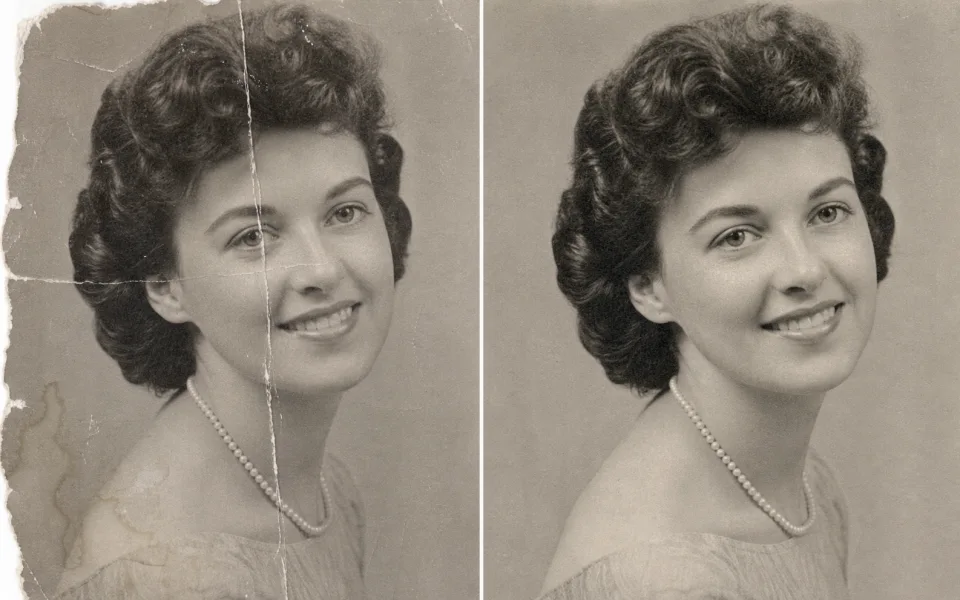
Enhance Images with Standard or Ultimate AI
Upload an image, choose Standard for fast upscaling or Ultimate for the highest quality restoration, then download a sharper result. Supported formats: JPG, PNG, WebP.
How to Enhance Old Pictures with AI
Turn a scan or camera copy into a clearer digital keepsake in three steps.
Upload Your Old Picture
Choose a JPG, PNG, or WebP scan or photo of the original print. A straight, evenly lit capture gives the AI more useful detail.
- No credit card required
- Instant processing
- Secure cloud storage
Drop video here
MP4, MOV, WEBM
Select Standard or Ultimate
Use Standard for quick cleanup and upscaling, or Ultimate for stronger restoration when faces, textures, and faded areas need more attention.
- No credit card required
- Instant processing
- Secure cloud storage
Enhancement Settings
Compare and Save
Review facial detail, edges, grain, and color balance, then download the enhanced picture while keeping the original scan as your archive master.
- No credit card required
- Instant processing
- Secure cloud storage

Restore the Details That Make Old Pictures Meaningful
The AI old picture enhancer combines cleanup and upscaling to produce a more useful digital copy without requiring manual retouching skills.
Gentler Face Detail Recovery
Improve visible eyes, hair, and facial contours in soft portraits while keeping the result natural enough for family archives.
- Clearer faces
- Natural texture
- Better portraits
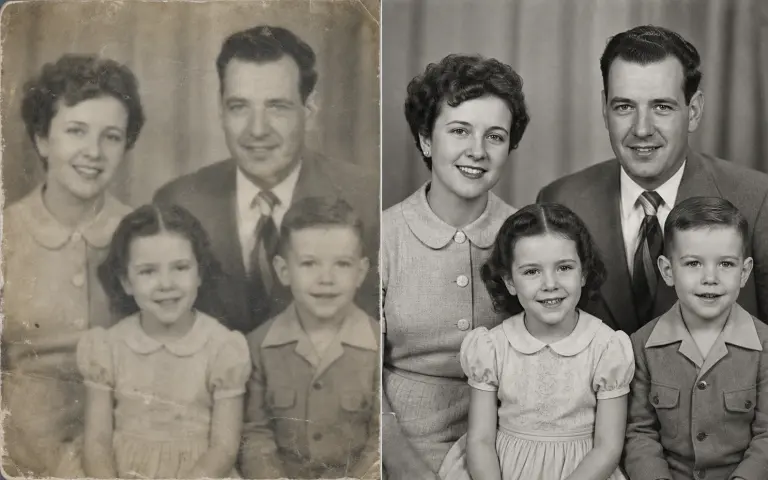
Grain and Scan Noise Cleanup
Reduce distracting grain, dust-like noise, and compression artifacts introduced by aging prints, scanners, or phone captures.
- Less noise
- Cleaner backgrounds
- Stronger edges
Balanced Faded Color
Improve dull contrast and uneven color in faded pictures while retaining the tone and atmosphere of the source.
- Improved contrast
- Richer tones
- Natural balance
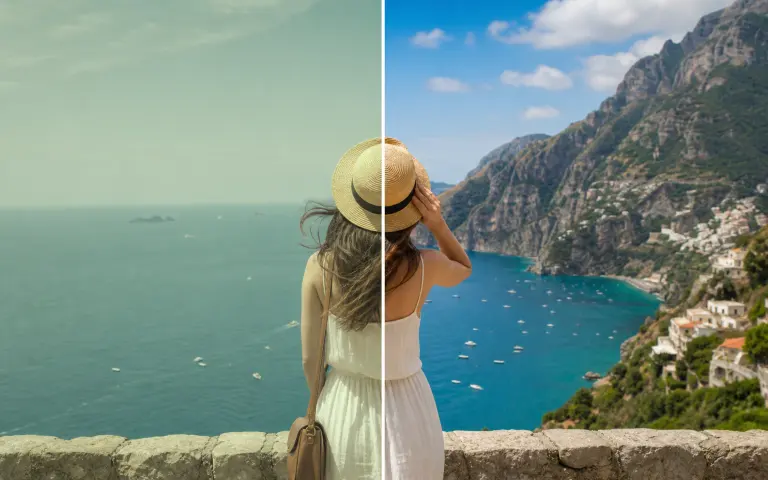
Higher-Resolution Digital Copies
Upscale small scans for easier viewing, sharing, family-history projects, and replacement prints without enlarging pixels manually.
- Larger output
- More visible detail
- Print-ready sizing
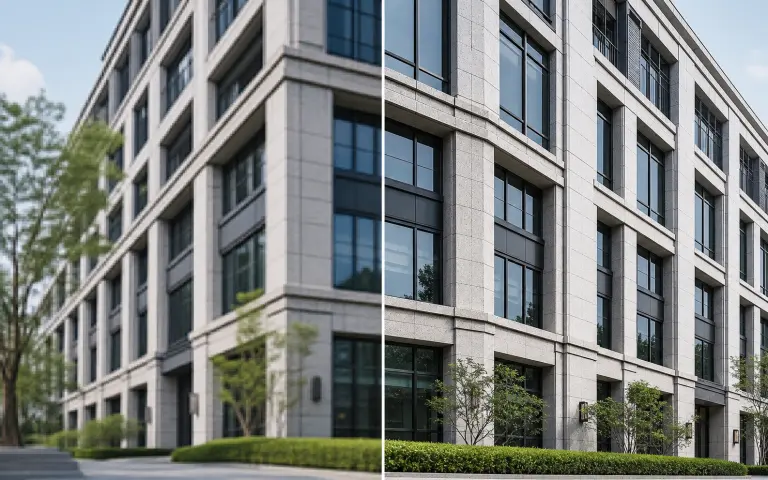
Old Pictures Worth Enhancing
Improve everyday archive images while keeping an untouched copy of the original file for historical accuracy.
Family Album Portraits
Bring more clarity to faces in inherited prints, school pictures, wedding albums, and family snapshots.
Faded Color Pictures
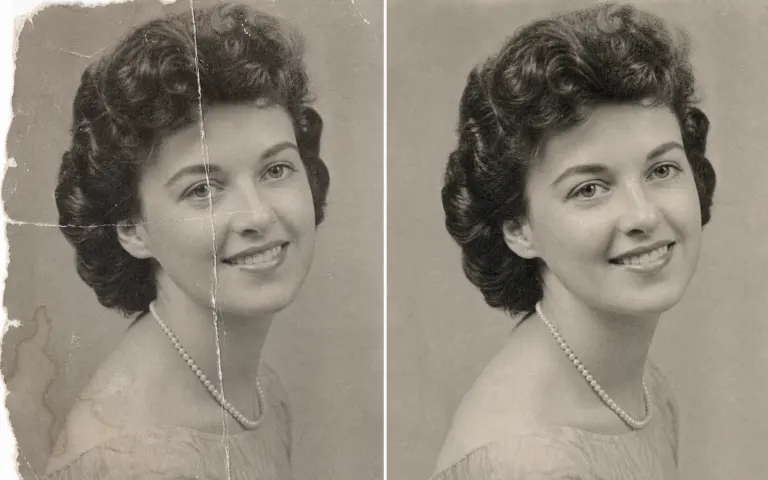
Improve weak contrast and muted tones in prints that have changed after years of light and storage exposure.
Small or Low-Resolution Scans
Upscale early scans, email attachments, and small web copies so they are more comfortable to view on current displays.
Historical Documents and Clippings
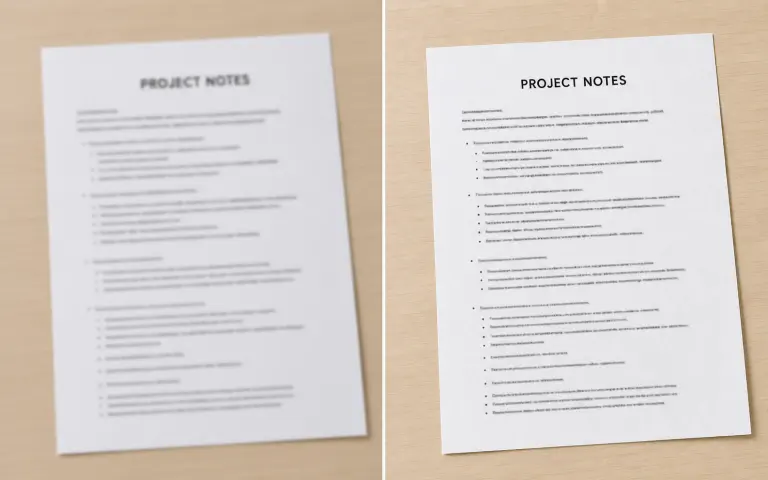
Enhance visible detail in newspaper clippings, certificates, postcards, and other personal-history materials.
Hover over any card to preview the AI enhancement magic
Old Photo Restoration Problems Need Different Treatments
Google's leading old photo restoration results consistently separate fading, blur, scratches, stains, missing areas, and black-and-white colorization. An AI old picture enhancer can improve visible detail, but not every type of damage is the same task.
Faded Contrast and Color Casts
Aging prints often lose deep blacks and develop yellow, red, or blue casts. Enhancement can rebalance contrast and color when enough original tonal information remains in the scan.
- Stronger contrast
- Balanced tones
- Clearer subjects
Grain, Dust, and Scanner Noise
Film grain, paper texture, sensor noise, and dust can compete with facial and clothing detail. Controlled cleanup reduces distraction while keeping the picture from looking unnaturally smooth.
- Less noise
- Cleaner surfaces
- Preserved texture
Scratches, Cracks, and Stains
Narrow scratches may become less distracting after cleanup, but large cracks, torn corners, and stains covering a face usually require dedicated inpainting or manual restoration beyond basic upscaling.
- Damage assessment
- Realistic expectations
- Safer restoration plan
Soft Focus and Small Faces
Portrait-aware enhancement can clarify visible facial contours in a soft or low-resolution scan. It cannot guarantee the exact recovery of features that are fully missing or obscured.
- Clearer contours
- Improved portraits
- Higher resolution
Black-and-White Photos and Colorization
Clarity enhancement can improve a monochrome scan without changing its historical appearance. AI colorization is a separate creative interpretation and may not reproduce the real colors of clothing, skin, objects, or locations.
- Monochrome clarity
- Scope awareness
- Historical caution
Prepare an Old Photo for Better AI Restoration
The quality of the digital source often matters as much as the enhancement model. A careful capture preserves more real information and reduces the amount the AI has to guess.
Create a Clean Master Scan
Use a flatbed scanner when possible. Clean the scanner glass, place the print flat, capture at a useful resolution, and save an untouched master before cropping or editing.
- No credit card required
- Instant processing
- Secure cloud storage
Drop video here
MP4, MOV, WEBM
Enhance a Working Copy
Duplicate the master, crop borders if needed, and run Standard or Ultimate enhancement on the copy. Avoid repeatedly saving the same JPEG because every export can add compression artifacts.
- No credit card required
- Instant processing
- Secure cloud storage
Enhancement Settings
Compare Faces, Hands, Text, and Edges
Review the result beside the original at several zoom levels. Check identity-defining details and keep both files so future tools can work from the unmodified source.
- No credit card required
- Instant processing
- Secure cloud storage
Old Photo Enhancement vs. Restoration vs. Colorization
These terms appear together across top search results, but they describe different levels of intervention. Choosing the right workflow prevents unrealistic expectations and protects the historical source.
Enhancement Improves Existing Detail
Upscaling, denoising, sharpening, face refinement, and contrast balancing work with information still visible in the source. This is the core scope of the current image enhancer.
Restoration Repairs Physical Damage
Removing large scratches, rebuilding torn areas, replacing missing backgrounds, or reconstructing covered faces requires generative repair or manual retouching and should be reviewed closely.
Colorization Adds an Interpretation
Colorizing a black-and-white picture invents plausible color from visual context. It can create an engaging display copy, but the result is not proof of the original colors.
Archive Preservation Keeps the Master Untouched
Store the highest-quality original scan separately from enhanced, repaired, and colorized derivatives. Use descriptive filenames so each version remains traceable.
AI Restoration with a Respectful, Reversible Workflow
Enhancement creates a new interpretation of visible detail. Keep the original scan, compare results closely, and use the restored copy for display rather than replacing the archive source.
Content-Aware Upscaling
The model analyzes edges, faces, and textures before generating a larger output, producing a more coherent result than simple pixel stretching.
Balanced Cleanup
Noise reduction and sharpening are combined to improve clarity without intentionally removing every trace of the original photographic texture.
Cloud-Based Processing
Enhance old pictures online from a modern browser without installing professional restoration software or using a local GPU.
Who Benefits from an AI Old Picture Enhancer?
Make personal and professional archives easier to view, organize, share, and preserve digitally.
Families
Prepare clearer copies of inherited photos for reunions, memorials, gifts, and private family collections.
Genealogists and Archivists
Improve working copies of historical photos, clippings, and records while retaining untouched master scans.
Photo Studios
Create improved previews and digital enlargements for customers who bring in older, low-resolution photographs.
Storytellers and Creators
Prepare archive imagery for documentaries, family-history videos, presentations, and social storytelling.
All processed securely in the cloud. No heavy hardware needed.
Flexible Plans for AI Image Enhancement
Choose the plan that fits your image workflow. Start with free image enhancement, then upgrade for full-resolution downloads and higher-volume processing.
Loading magic...
AI Old Picture Enhancer FAQ
Practical answers about enhancing old pictures and photos online.