
AI Photo Enhancer: Bring Every Picture to Life with One Click
From blurred memories to dark snapshots, our AI photo enhancer uses deep learning to upscale resolution, sharpen details, remove noise, restore faces, and perfect colors automatically. Choose Standard Enhance for fast photo cleanup or Ultimate Enhance for premium portrait and old-photo restoration. Use this photo enhancer online free for portraits, product shots, travel photos, and social media content.
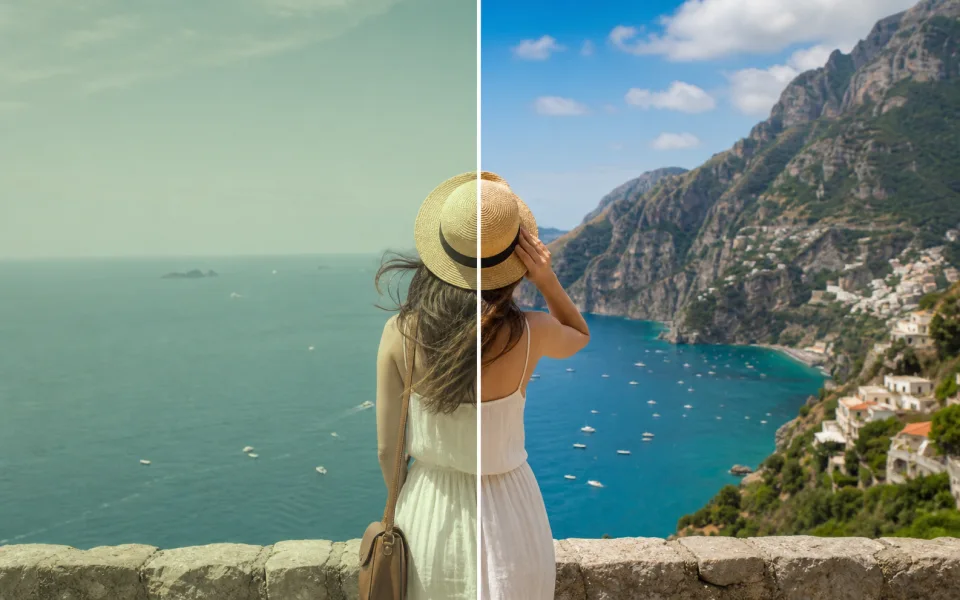
Enhance Images with Standard or Ultimate AI
Upload an image, choose Standard for fast upscaling or Ultimate for the highest quality restoration, then download a sharper result. Supported formats: JPG, PNG, WebP.
How to Enhance Photo Quality in 3 Simple Steps
No complex editing suites. Upload a photo, let AI work its magic, and download a stunning result in seconds.
Upload Your Photo
Go to our online photo enhancer dashboard. Click the upload button and select your file—JPG, PNG, WebP, or even RAW formats are supported. Your photo is encrypted and securely processed, whether it’s a family portrait, a product shot, or a travel landscape.
- No credit card required
- Instant processing
- Secure cloud storage
Drop video here
MP4, MOV, WEBM
Choose Standard or Ultimate Photo Enhancement
Choose Standard Enhance when you need quick photo upscaling, deblurring, denoising, and color cleanup. Choose Ultimate Enhance for stronger face restoration, old-photo repair, richer textures, and the best AI photo enhancer output.
- No credit card required
- Instant processing
- Secure cloud storage
Enhancement Settings
Preview and Download
Click “Enhance.” Our AI processes your photo in moments. Compare before/after side‑by‑side to see the difference. Once satisfied, download your high‑resolution enhanced photo ready for social media, print, e‑commerce, or your personal gallery.
- No credit card required
- Instant processing
- Secure cloud storage
Why Our AI Photo Enhancer Stands Out
A true photo enhancer does more than apply a sharpening filter. We deliver a full‑stack AI toolbox that tackles every detail challenge in still photographs—so you get natural, print‑ready results every time.
AI Photo Upscaling to 4K & 8x Resolution
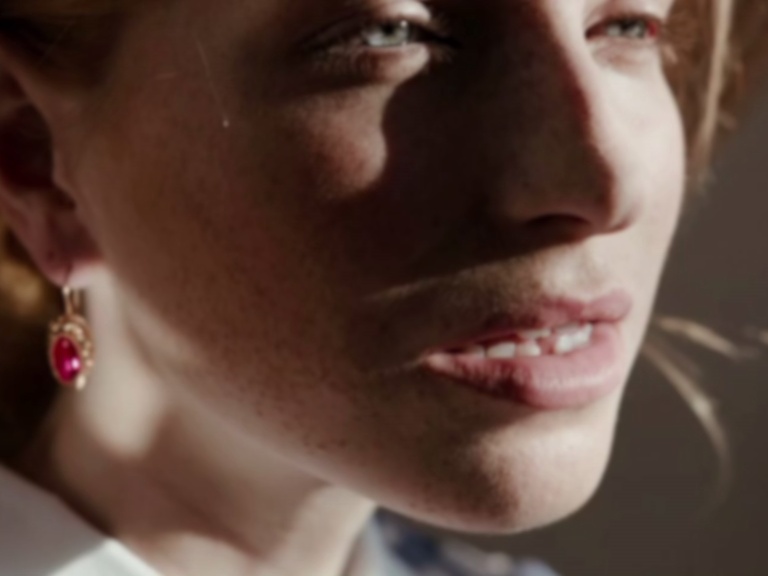
Ordinary resizing stretches pixels and softens details. Our photo enhancer ai generates new pixels from millions of high‑res reference photos, letting you enlarge a small travel snapshot to stunning 4K‑equivalent quality—perfect for big prints or 4K displays with zero pixelation.
- Up to 8x resolution increase
- Preserves natural textures
- Works on any photo format
Intelligent Deblurring & Sharpening for Photos
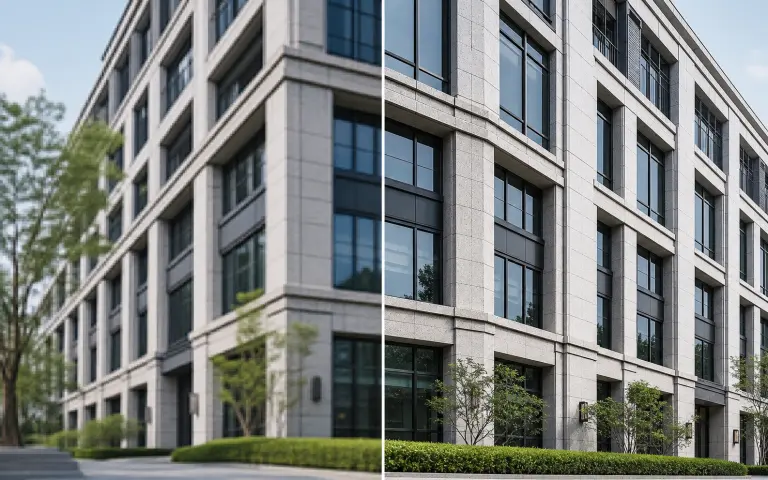
Motion blur, missed focus, or camera shake can ruin a moment. Our AI acts as a precision photo sharpener, identifying subjects and rebuilding edges. Whether it’s a product shot or a candid portrait, it restores crisp detail so even blurry photos look professionally taken.
- Fixes motion blur instantly
- Corrects out‑of‑focus photos
- Brings back facial details
Advanced Denoising for Low‑Light Photos
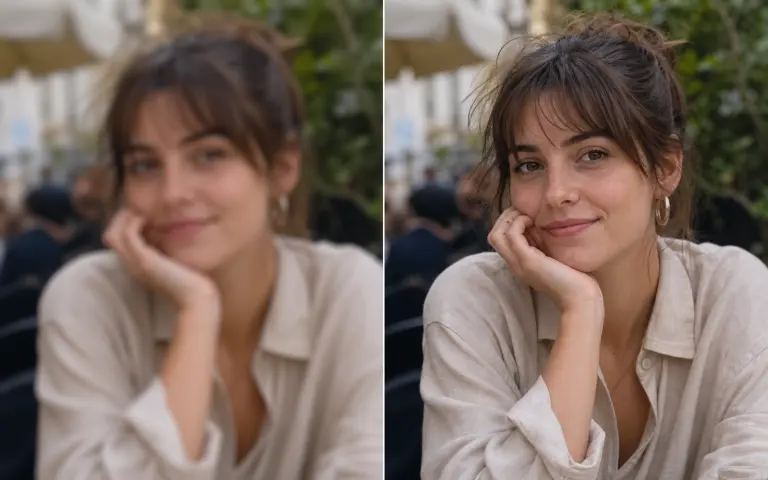
Dark restaurant interiors, nighttime cityscapes, or indoor events often leave photos grainy. Our photo enhancer distinguishes fine grain from real texture, removing noise while preserving skin softness and fabric details. The result: clean, gallery‑worthy images even from challenging light.
- Removes grain naturally
- Keeps textures intact
- Ideal for night & indoor shots
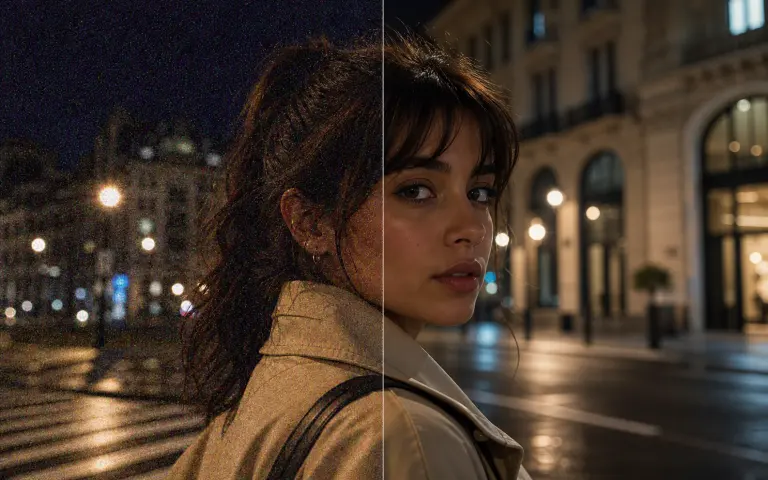
Auto Color Correction & Enhancement
Faded old albums or poorly white‑balanced phone shots? Our AI balances colors, fixes saturation, and corrects white balance automatically. It knows how blue a sky should be, how warm skin tones should be, and how vibrant product colors really are—acting like a built‑in professional editor for every photo.
- Auto white balance
- Vibrant yet natural colors
- Revives faded prints
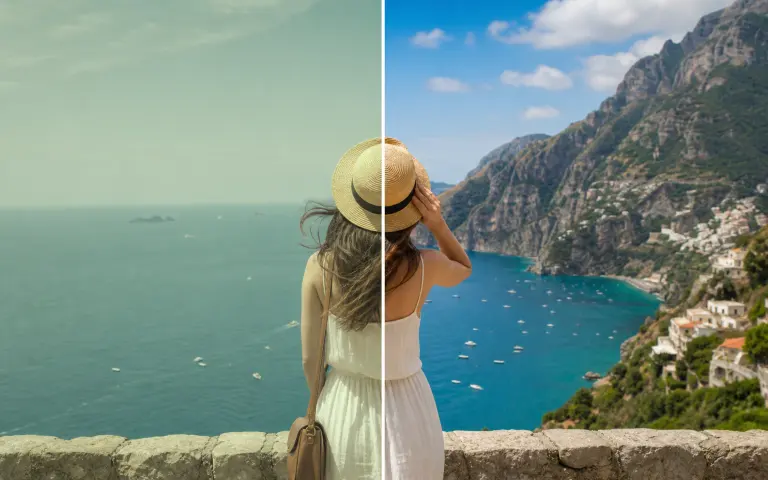
AI Face Detail Restoration for Portraits
Portraits demand special attention. Our face‑aware AI detects facial landmarks and reconstructs eyes, skin texture, and hair with striking realism. Perfect for group selfies, professional headshots, or restoring old family portraits—all while keeping faces natural.
- Reconstructs facial details
- Gentle skin retouching
- Brings old portraits back to life
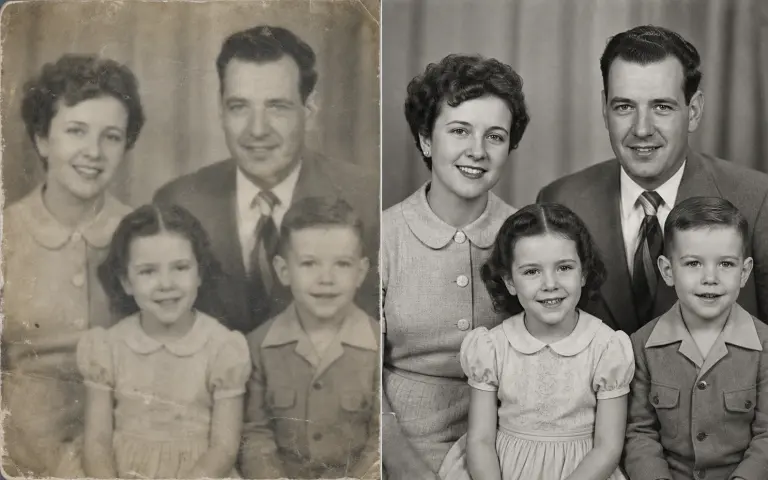
Smart AI Enhancement for Every Type of Photo
Our AI analyzes your photo—detecting resolution, noise level, and content—then applies the best processing. From a grainy selfie to a faded relic, one tool adapts to all. Truly intelligent photo enhancement, made effortless.
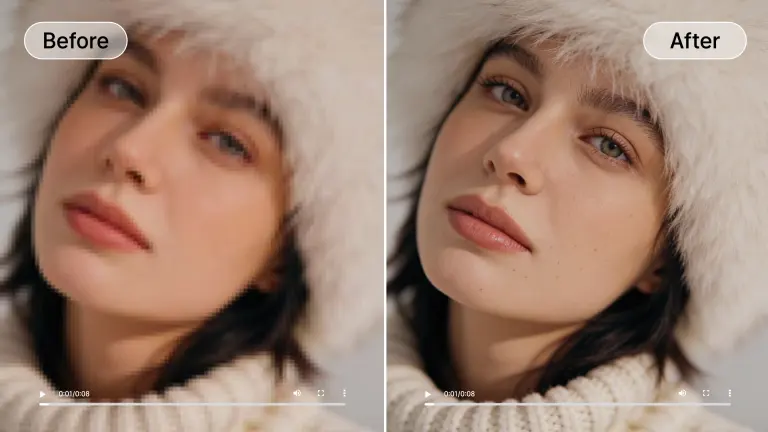
Portrait & Selfie Perfection
For headshots, group shots, and selfies, facial clarity is everything. Our Face Enhancement model refines skin, brightens eyes, and restores natural texture. It’s the ultimate AI photo enhancer for social‑ready portraits and profile pictures.
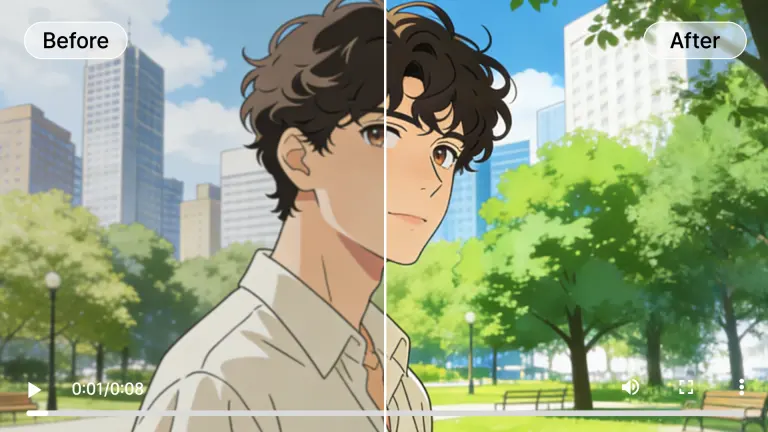
Creative Photo & Art Upscaling
When photographs are mixed with graphic elements or stylized edits, standard upscalers often blur the creative edge. Our model preserves crisp lines and vivid colors, making it indispensable for photo‑art hybrids, digital collages, and print‑ready portfolios.
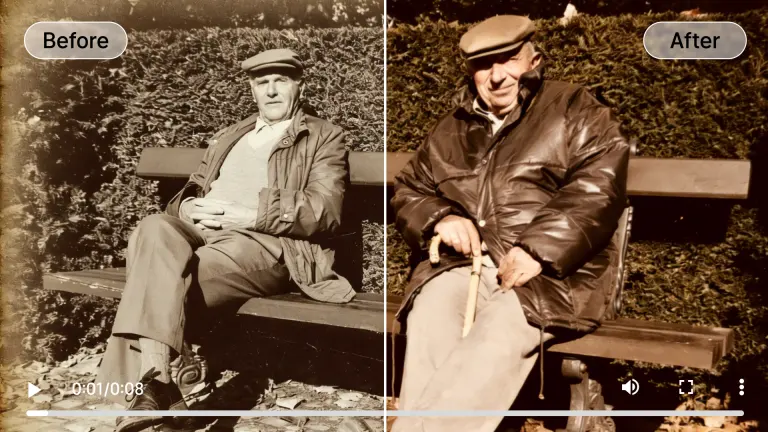
Old Photo Restoration & Color Revival
Turn faded, scratched analog prints into vibrant keepsakes. Our AI removes dust, tears, and discoloration from scanned photos and can even colorize black‑and‑white originals. No restoration skills needed—just upload and relive the memory.
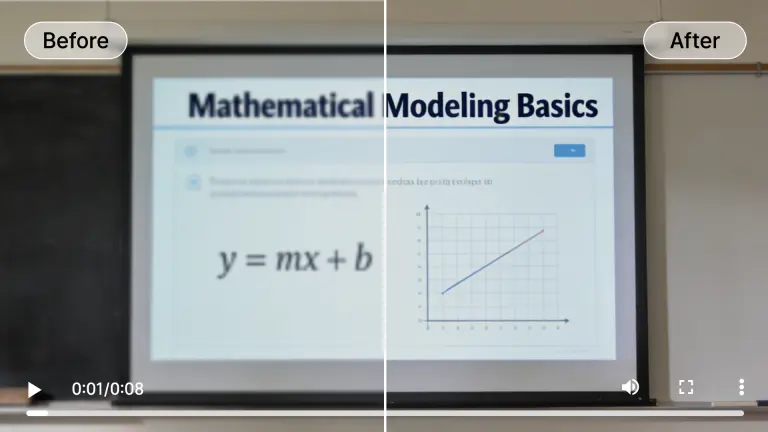
Product Photo Sharpness & Detail Recovery
E‑commerce conversions depend on crisp product visuals. Our AI detects and sharpens fine textures, labels, and surface details, making every item stand out. It’s like a virtual macro lens that fixes soft focus and brings out craftsmanship.
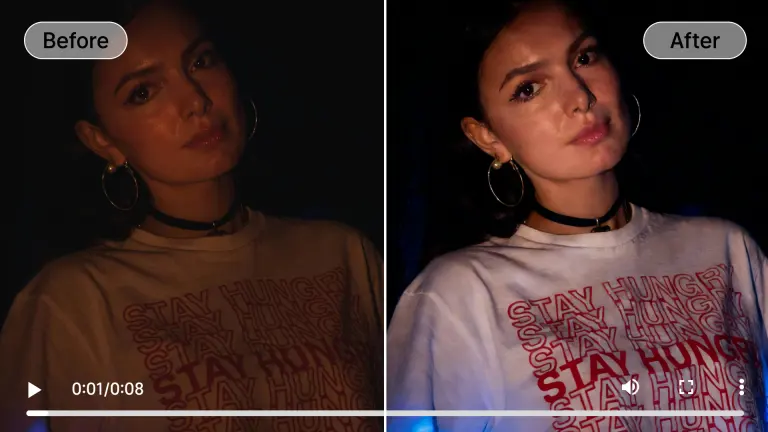
Low‑Light Photo Brightening
Night shots don’t have to stay dark and noisy. Our Low‑Light mode lifts shadows, suppresses grain, and reveals hidden details without washing out colors. Essential for travel photos, concerts, or any after‑sunset memory.
Hover over any card to preview the AI enhancement magic
Solving Real‑World Photo Problems with Advanced AI
Beyond basic filters, our photo enhancer tackles the subtle flaws that ruin otherwise great pictures—compression artifacts, distorted faces, flat depth, and slow processing. Here’s how our technology fixes what other tools overlook.
Eliminating Compression Artifacts & Sensor Noise
Re‑saved JPEGs and high‑ISO photos often show blocking artifacts and grain. Our spatial consistency algorithms smooth these anomalies while keeping natural textures intact, delivering a clean photorealistic finish that looks like it came straight from the camera.
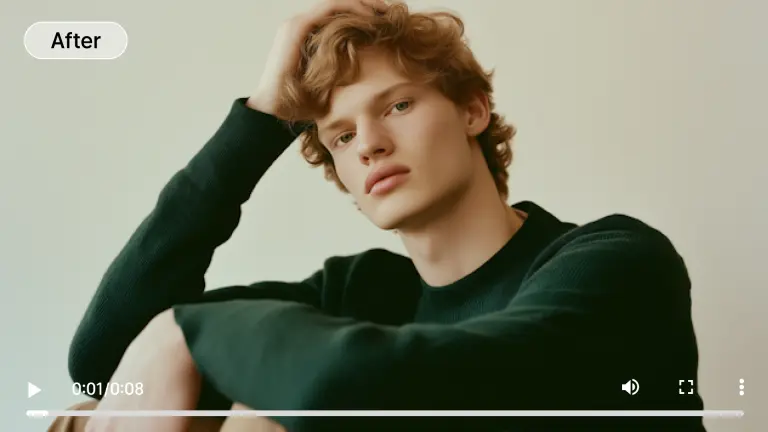
Fixing Distorted Faces & Unnatural Details
When portraits come out with softened features or odd proportions, our targeted restoration model refines eyes, outlines, and skin texture, correcting the ‘uncanny valley’ effect with precision and natural results—essential for group photos and old scans.
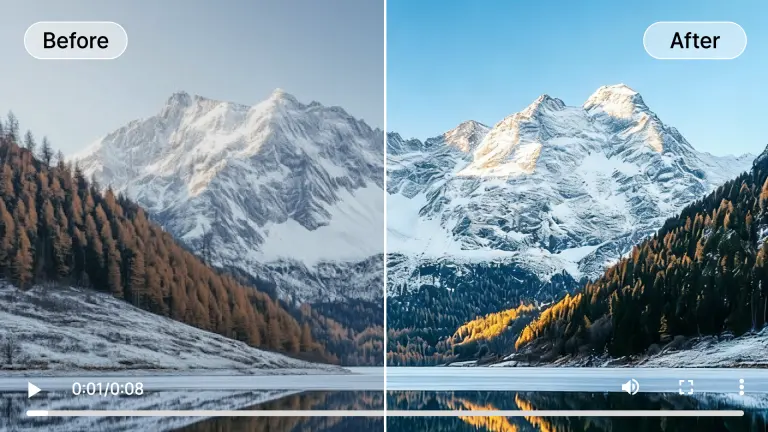
Background Separation & Depth Enhancement
Unlike basic sharpeners, our AI understands depth. It processes the subject differently from the background, preserving natural bokeh while sharpening the main focus—so your portraits and product shots never look cut‑out or artificial.
Cloud‑Based Speed vs. Local Hardware
Don’t invest in an expensive GPU. Our cloud servers handle all the heavy lifting, delivering upscaling and enhancement up to 10x faster than typical home computers. Just upload, process, and download—no installs, no compatibility issues.
Who Can Benefit From Our AI Photo Enhancer?
We’ve built a tool that serves everyone who works with still photos—from social media influencers to family archivists. Our free photo enhancer online tier makes professional‑grade restoration and upscaling accessible to all.
Content Creators & Influencers
Post razor‑sharp photos every time. Use our AI photo enhancer to upscale your shots to 4K, sharpen product details, and ensure your feed looks professional. Higher photo quality often boosts algorithmic visibility and engagement.
Marketing & Advertising Agencies
Repurpose legacy campaign photos for modern channels. Enhance photo quality with AI to turn old assets into high‑definition visuals suitable for digital ads and print. Quick turnarounds without manual retouching keep budgets lean.
Families & Memory Keepers
Preserve your heritage. Scan old photo albums and let our AI remove scratches, fix faded colors, and even colorize black‑and‑white prints. It’s the safest way to future‑proof family memories in vivid detail.
Photographers & Digital Artists
Whether you’re a professional photographer or a hobbyist, upscale photos without losing the original mood. Our AI respects lighting intent and texture, removing noise while boosting resolution for print‑ready portfolios and client deliverables.
E‑Commerce Sellers
Clear product photos directly impact conversion rates. Fix blurry product shots online free (in trial) to ensure every texture and label is crystal clear, building buyer trust and reducing returns.
All processed securely in the cloud. No heavy hardware needed.
Flexible Plans for AI Image Enhancement
Choose the plan that fits your image workflow. Start with free image enhancement, then upgrade for full-resolution downloads and higher-volume processing.
Loading magic...
Frequently Asked Questions About AI Photo Enhancement
Everything you need to know about our AI photo enhancer, how it works, and how it can transform your pictures.